
~/portfolio-builder/freelance-developers
A freelance developer website that wins the intro call
Clients hiring a freelance developer want to know what you do, how you work and whether you'll disappear halfway through. FNJ's AI builder designs a site that answers all three: services, how you scope and bill, past projects with outcomes, and an intro-call button. You get the code too, which is a nice thing to be able to say to a client.
- Next.js project
- Static HTML
- Push to GitHub
- No FNJ runtime
Freelance software developer
I help small teams ship the product, not just the prototype.
“Clear estimates, weekly demos, and it shipped on the date he said.”Sample quote
MVP builds
From spec to launched product · 6–10 weeks
Integrations
Payments, CRMs and APIs, wired up properly
Rescue & maintenance
Stabilise, document and hand back
Freelance software developer
I help small teams ship the product, not just the prototype.
“Clear estimates, weekly demos, and it shipped on the date he said.”Sample quote
MVP builds
From spec to launched product · 6–10 weeks
Integrations
Payments, CRMs and APIs, wired up properly
Rescue & maintenance
Stabilise, document and hand back
The same sample at phone width. The builder designs every page at desktop, tablet and phone widths.
The sample, section by section
What a freelance developer website needs
The sections the builder can design for you, and the job each one does. The starter prompt asks for these; add or drop any of them in your own words.
- 01
Offer
Who you help and with what.
- 02
Services
Engagement types with typical timelines.
- 03
How I work
Scoping, billing, communication, handover.
- 04
Projects
Client problems and what you shipped.
- 05
Tech
The stack you work in, briefly.
- 06
Book an intro call
A button to your calendar.
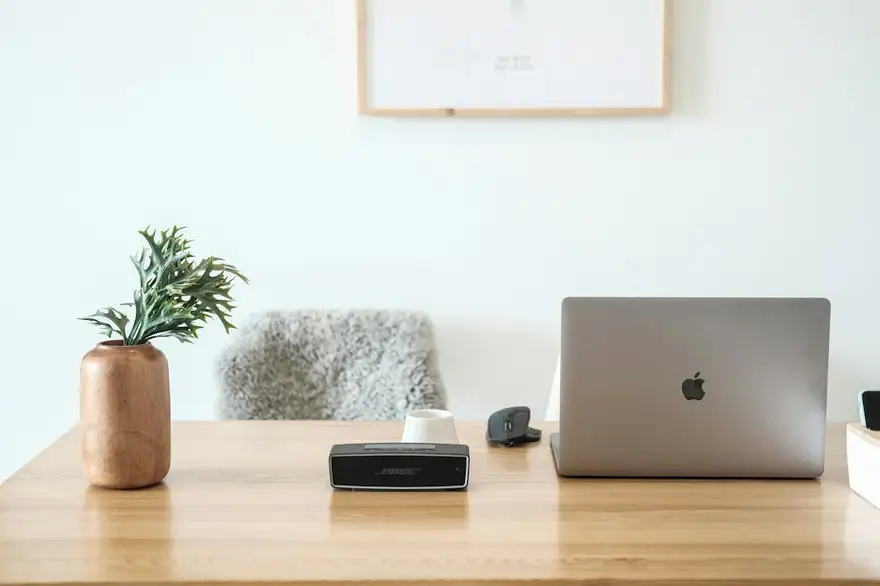
Sample photography from Unsplash by minhphamdesign.
Made for freelance developers, not for everyone
01
Services in plain language
MVPs, integrations, rescues, retainers: described for the client, not for other developers.
02
How you work, upfront
Scoping, estimates, communication and handover, the things that reassure a non-technical buyer.
03
Projects with outcomes
What the client needed and what changed after you shipped it.
Starter prompt
A prompt written for freelance developers
It opens in the builder ready to edit. Replace the words in brackets with your own details, change anything else you like, then add a reference.
Reference to add
A consultant's or small studio's site that felt reassuring and clear.
The builder takes a reference's look (layout, type, palette, spacing), never its words or images.
Build a website for my freelance development practice, [your name], helping [startups / agencies / small businesses] with [MVPs, integrations and web apps]. Open with a clear, client-friendly headline and a 'Book an intro call' button. Add a services section (three engagement types with typical timelines), a 'How I work' section (scoping, billing, communication, handover), a projects section with four client projects (the need and the outcome), a short tech section and a final call-to-action with my calendar link. Trustworthy and modern: a clean sans-serif, a light theme, calm colours and clear buttons.
How it works
01
Describe your freelance developer site
Open the builder with the starter prompt, fill in your details and add a screenshot or link of a site you'd like yours to look like. A reference is required: it's what makes the design yours rather than a template.
02
Watch it design every page
The builder plans the pages, palette and type, then builds each page section by section on a canvas at desktop, tablet and phone widths while you watch.
03
Refine it, then take the code
Ask for changes in plain words or edit by hand, upload your own screenshots, then download a Next.js project or static HTML, or push it to your GitHub, and host it where you like.
What it costs: From $25/month, or $29 once for 50 credits. Every site you build is yours to keep. No FNJ hosting fee: you host the exported site. See plans
Built with FNJ's AI builder
Look at this beautiful site our AI builder built in 10 minutes
One prompt and a screenshot of a site we liked, recorded as it happened. The builder designed a portfolio, built every page on the canvas for desktop, tablet and phone, and handed over the code. The video skips the waiting.
Freelance developers: questions
- Can clients book a call from the site?
- Yes, with a button that opens your scheduling tool. The builder doesn't include its own booking.
- Should I list my rates?
- Up to you. The builder can design a services section with typical timelines and 'from' prices, or leave prices for the call.
- Can I use FNJ for client marketing sites?
- Yes. Build them with builder credits and hand over the exported code; the Agency plan is sized for regular client work.
- Are the testimonials in the preview real?
- No, the preview uses sample content. On your site, quote only real clients who agreed to it.
Portfolio guides
- GuidePortfolio Website Ideas for 12 Professions, Page by PageFor 12 professions, from real estate photographers to translators: what the portfolio home page should lead with, and the three to five pages worth building.Read the guide →
- GuideSoftware Engineer Portfolio: Which Projects to ShowHow to pick three to five projects that prove you can do the job, write each one up so reviewers have questions to ask, and link code and demos well.Read the guide →
- GuideHow to Build a Portfolio Website as a StudentWhat to show when you have little experience, how to turn class projects into real case studies, and the five pages every student portfolio site needs.Read the guide →
Related portfolio builders
Make hiring you the easy decision
The builder opens with your freelance developer prompt filled in. You edit it, add a reference, and watch the first version take shape.